Playing
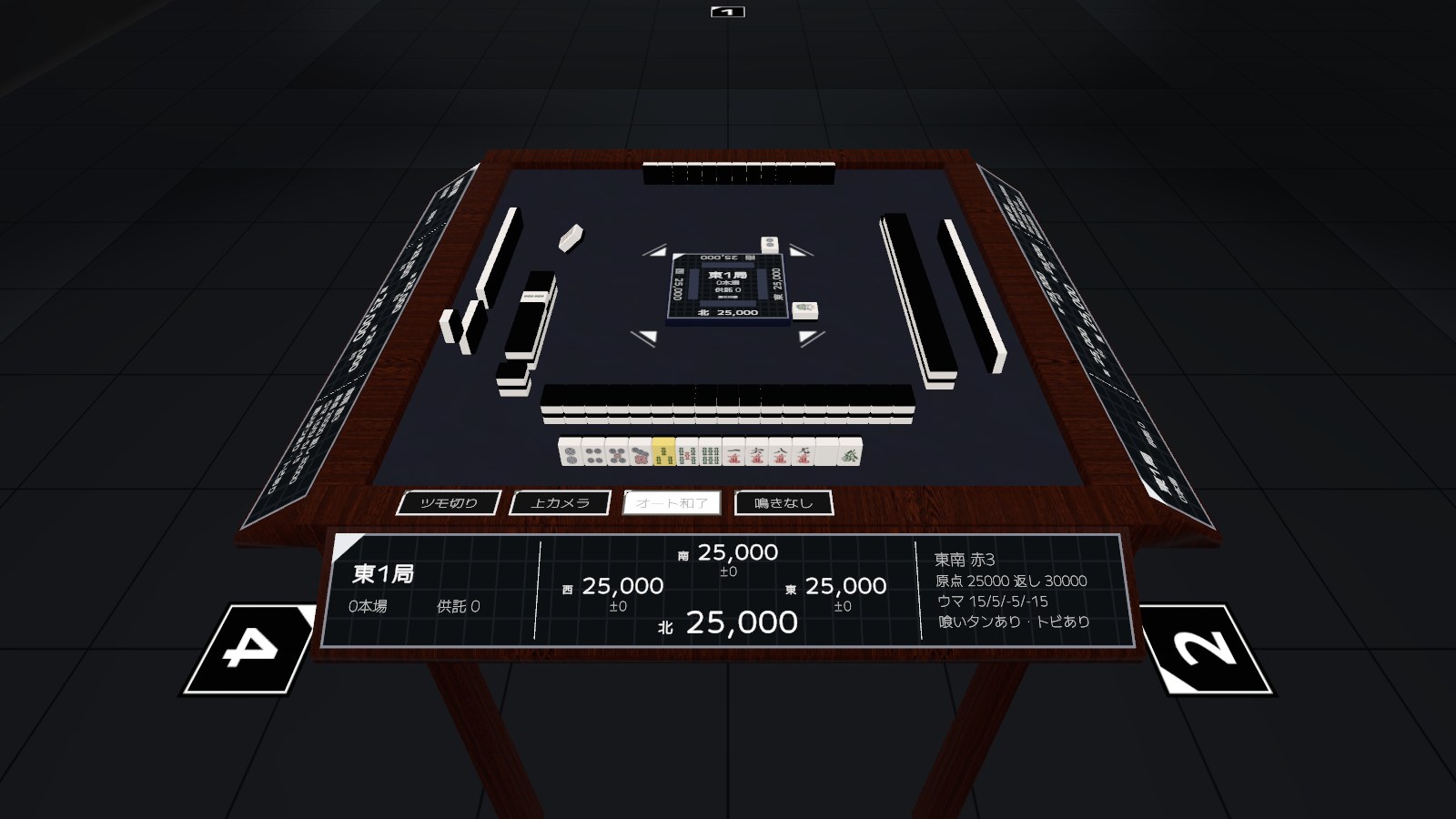
- On your turn, you draw a tile, which joins the right of 1 your hand. Press a tile to discard it.
- When you can call chii, pon or kan, declare Reach, or win by ron or tsumo, a button appears on the board standing above your hand. Call buttons show the tiles of the meld you can make. To decline a call, press 見送り (Pass).
- When someone wins, the yaku, fu, han and score appear in the middle of the table. Every player presses 次へ (Next) to go on to the next hand.
- After Reach, your drawn tiles are discarded automatically (when the "auto discard after Reach" rule is on).
Switches
While you are seated, 2 these switches appear in front of your hand. Each press turns one on or off.
- 鳴きなし (No calls): unless you can win by ron, calls are passed automatically.
- ツモ切り (Auto discard): the tile you draw is discarded automatically. It stops when you can win by tsumo, kan, or take out a north or flower. It appears when the rule "auto discard after Reach" is on.
- オート和了 (Auto Win): when you can win, tsumo or ron is declared automatically.
- 上カメラ (Top Camera): shows or hides a tablet with a view from above.
The 個人設定 (Personal) tab of the reception board and of the table's rule board changes the starting settings for auto discard after Reach and Auto Win, the volume of voice, tile sounds and chime, the order of tiles in your hand, and the skip key (BackSpace or both grips).
On Quest and phones
Quest and phone players play at the same tables. If the tiles look small, move closer to your seat or adjust your view to see your hand.
Leaving and substitutes
- If someone leaves the world during a game, their seat stays and the game waits on their turn. The same player can come back and press 代わりに座る (Take over), or someone else can press it at that seat and continue (substitute).
- A CPU can also take a seat that someone has left. It inherits the hand, the discards and the score.
- The substitute's name is also recorded in the game record.
Re-entry
If your table looks different from other players' (tiles differ, or nothing moves), press リエントリー (Re-entry) on the main screen of the table's rule board. It appears only during a game. It empties every seat and takes the table over again, and the board is kept.
Until every player is seated again, the table does not advance and every hand is shown face down. Fill every seat with エントリー (Join) or the CPU buttons on the seat boards to continue from where you left off.
Reset
To return a table to the start, press リセット (Reset) on the main screen of the rule board. A confirmation appears ("Free every seat and return the table to the start."). Press はい (Yes). Nothing happens on a table that has not started and has no one seated, because there is nothing to reset.
During a game, only a seated player or staff can press it.