Table status
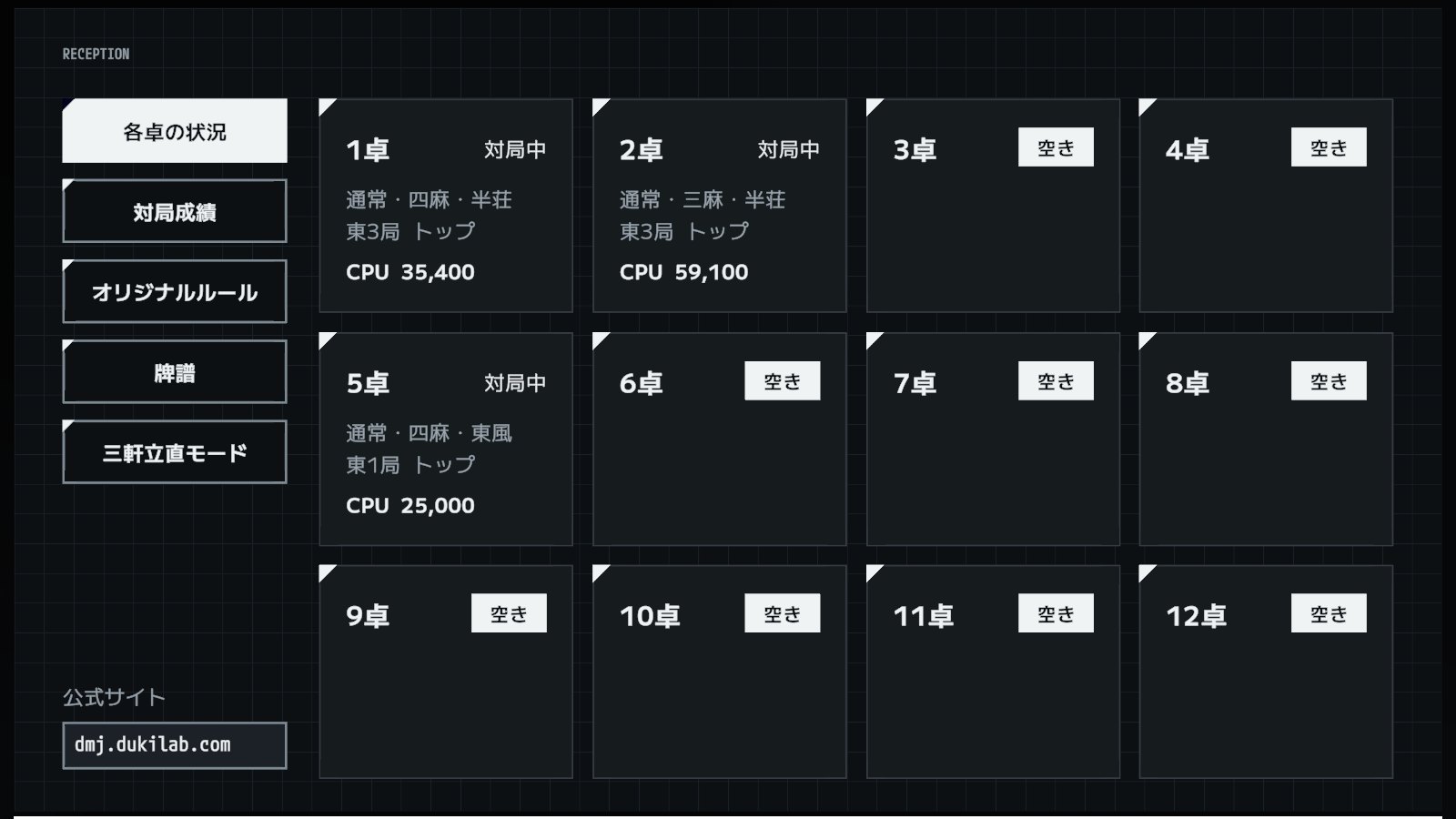
A large board in the lobby. 1 The tabs on the left switch screens. The first screen, table status, lists the twelve tables: state (free, in play, finished), rules, the current hand, and the leader's name and score. Free tables are tagged 2 "空き".
Your results
Your results, split by four or three players and by length: games played, average placing, top rate, best score, win rate, deal-in rate, Reach rate, call rate, and how your placings are spread. They stay when you rejoin.
Your own rules
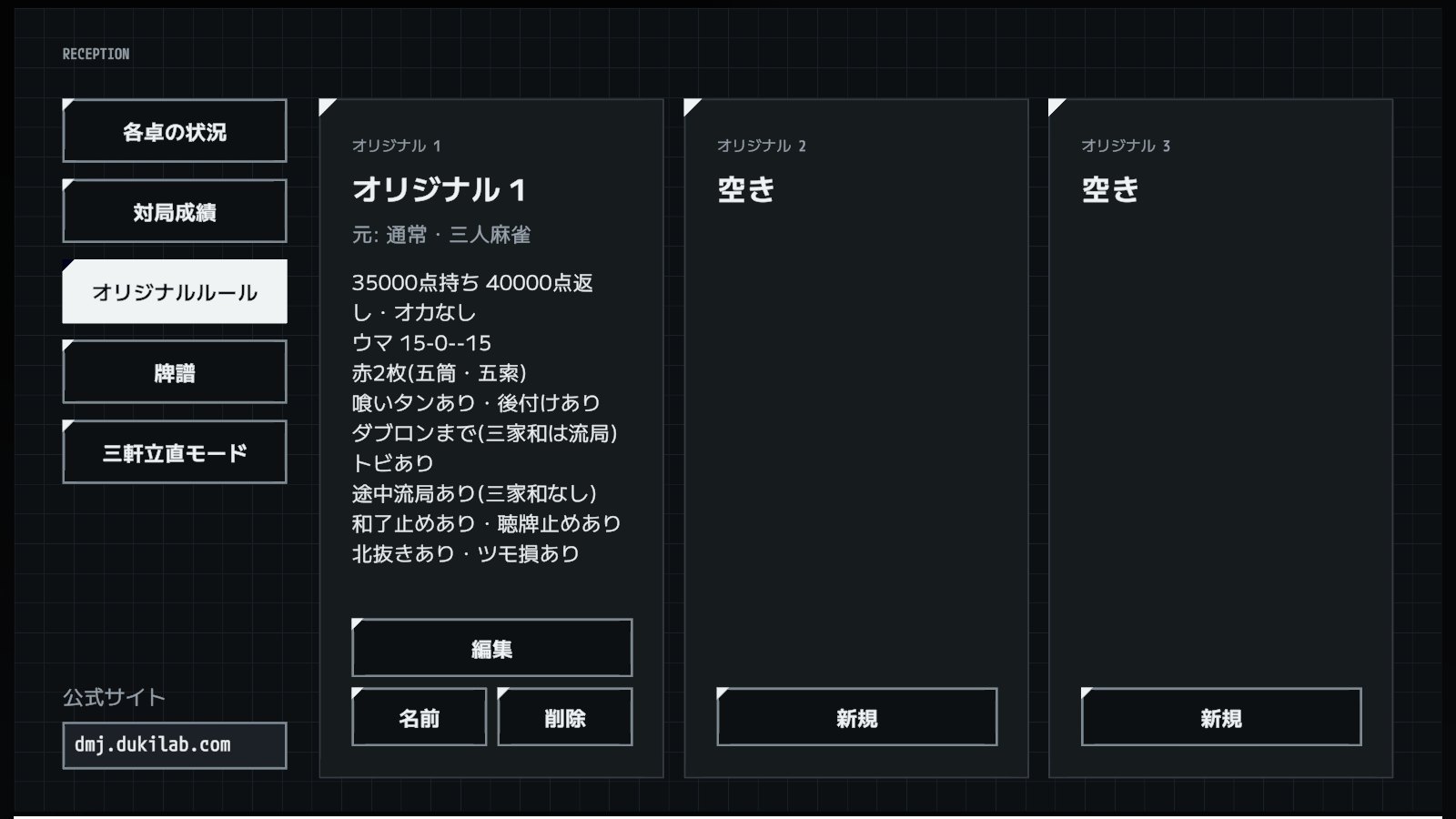
Save your rules in three slots. 新規 (new) and 編集 (edit) open the same detailed settings as the tables. Rename and delete them here too. Any table's rule board can load them.
Game records
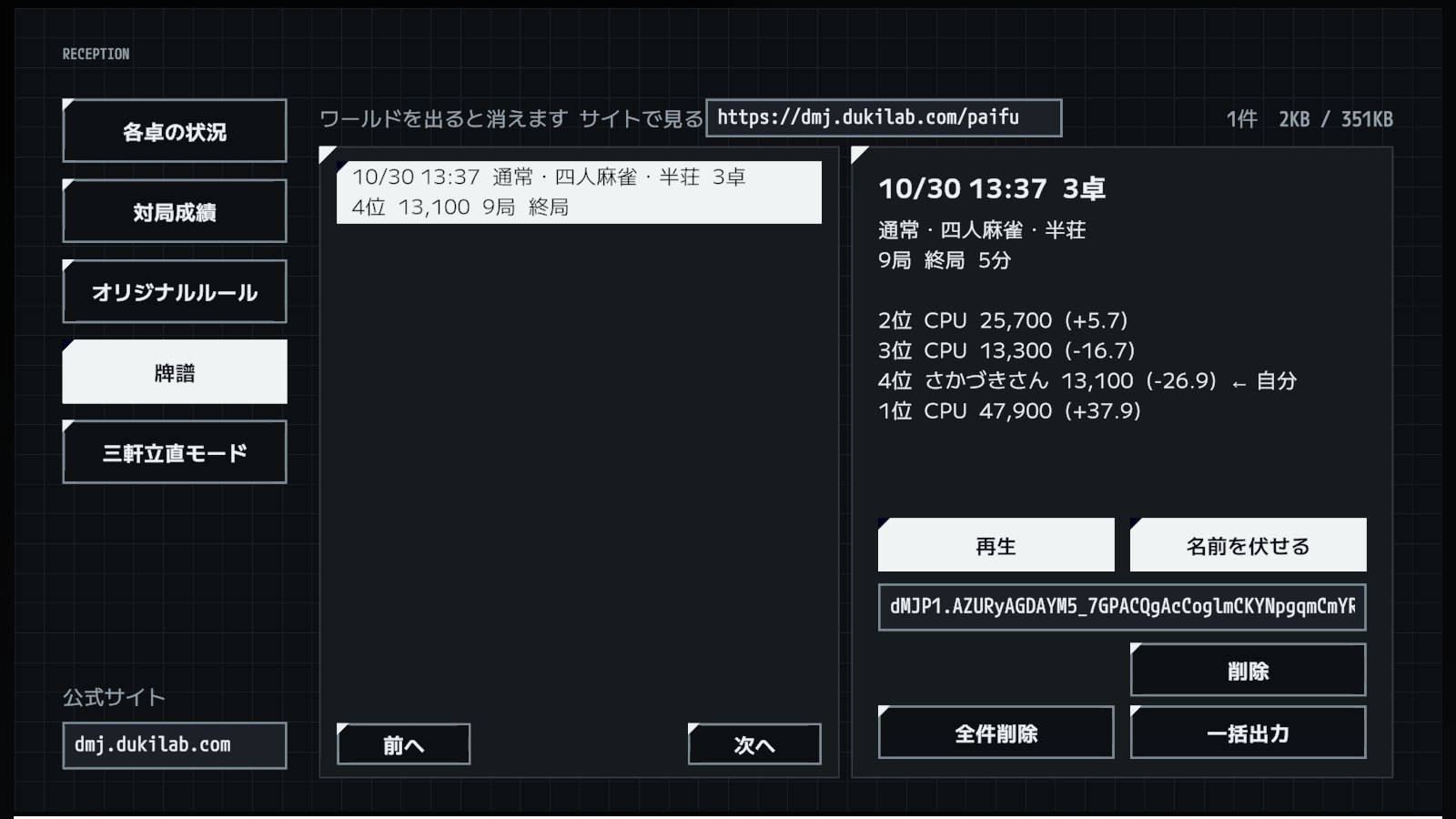
Games you played seated in this instance are listed and can be replayed move by move. The records live only on your client and disappear when you leave the world.
- Select a game: its text (starting with
dMJP1.) appears in the box. Turn on 3 名前を伏せる (hide names) to replace other players' names with Player A, Player B, and so on. - 4一括出力 (export all): joins all your records into one text and also writes them to the VRChat log (output_log) on PC. Import them at once on Import Game Records.
Each finished game is also written to the log as one line. More in Taking Game Records Out.
Personal settings
These settings affect only your own client. They are the same values as the 個人設定 (Personal) tab of a table's rule board, so a change in either place shows in both. They stay when you rejoin the world.
- ゲームプレイ (Gameplay): the starting settings for 立直後自動ツモ切り (auto discard after Reach) and オート和了を自動でON (turn on Auto Win).
- ボリューム (Volume): the volume of ボイス (voice), 牌の音 (tile sounds) and チャイム (chime), in 5 levels.
- 理牌の順番 (Tile order): the order in which your hand is sorted. Select a suit, then press where to move it.
- 見逃しキー (Skip key): BackSpace or both grips pass a call or cancel Kan or Reach.