01
The yaku tablet
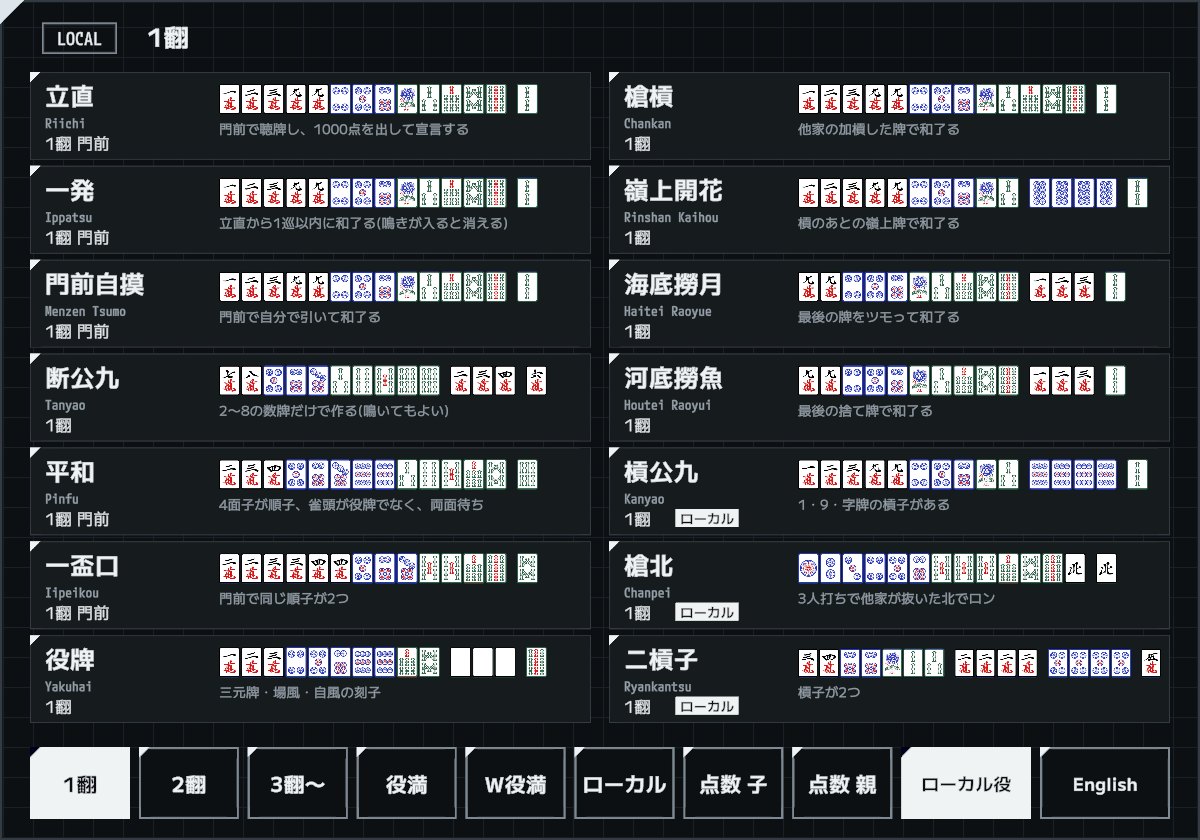
A yaku list the size of a tablet (30 cm × 21 cm). It sits on a stand north of the reception board, and you can carry it to your table. Let go and it floats where you left it. Its リスポーン (Respawn) button on the stand, or ten minutes without anyone holding it, sends it back.
02
Using it
- Hold it and press Use (trigger in VR, left click on desktop, the Use button on phones) to go to the next page.
- 1 The tabs at the bottom (1 han, 2 han, 3+ han, yakuman, double yakuman, local, scores for non-dealer and dealer) jump to a page. The last button switches between Japanese and English.
- 2 Turn ローカル役 (local yaku) on, shown inverted, to mix local yaku into the 1-han, yakuman and other tabs. Local yaku are always on the local tab too.
03
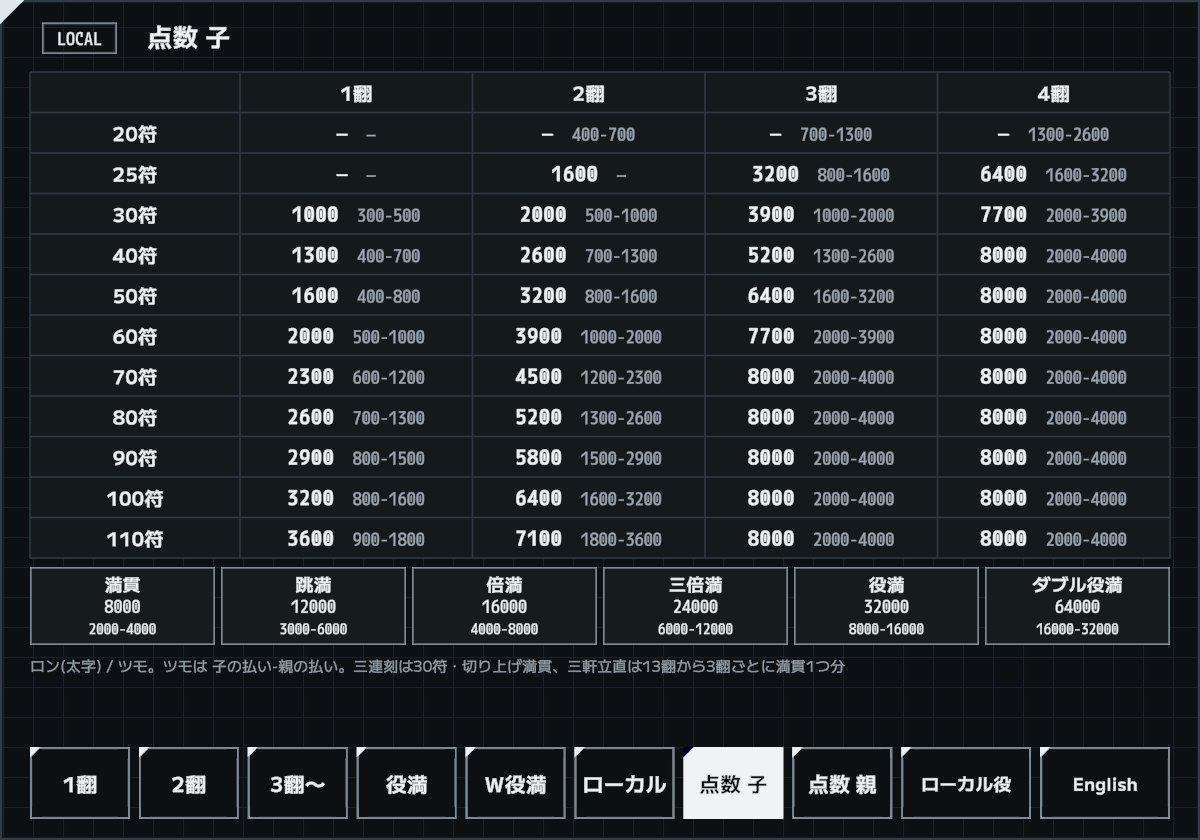
Score table
04
Local and Global
The top left of the tablet shows LOCAL or GLOBAL.
- LOCAL: works only on your screen. Others do not see it move.
- GLOBAL: its position and page are shared with everyone. Use it to show the same page at a table.
05
Stand and respawn
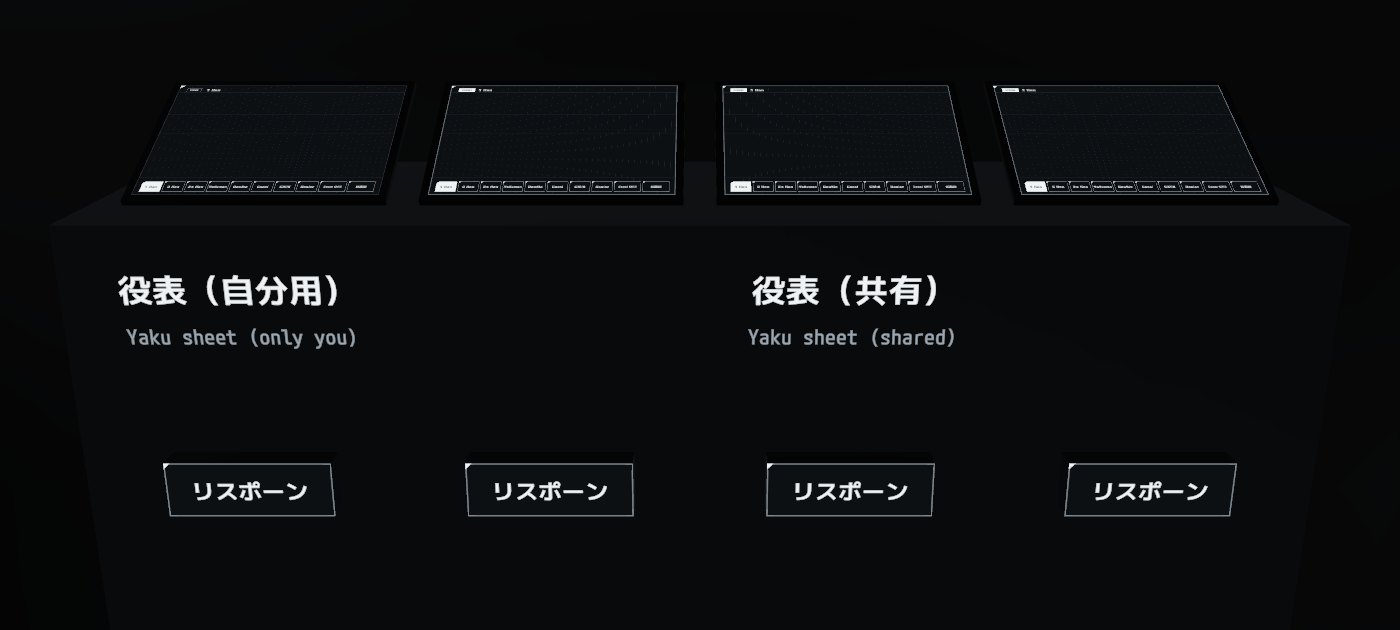
The left tablet on the stand is the local one, and the three on the right are shared. To put a tablet back, press 1 リスポーン (Respawn) right below it. Only that tablet returns, and the others stay where they are. A tablet someone is holding does not return.